New in Nuclino: Expanded MCP capabilities, comment reactions, and more

We've rolled out a new batch of improvements to Nuclino, with more powerful MCP workflows, comment reactions and new formatting options, better ways to work with Mermaid diagrams, smoother imports, and plenty of smaller improvements across the app.
Here's what's new.
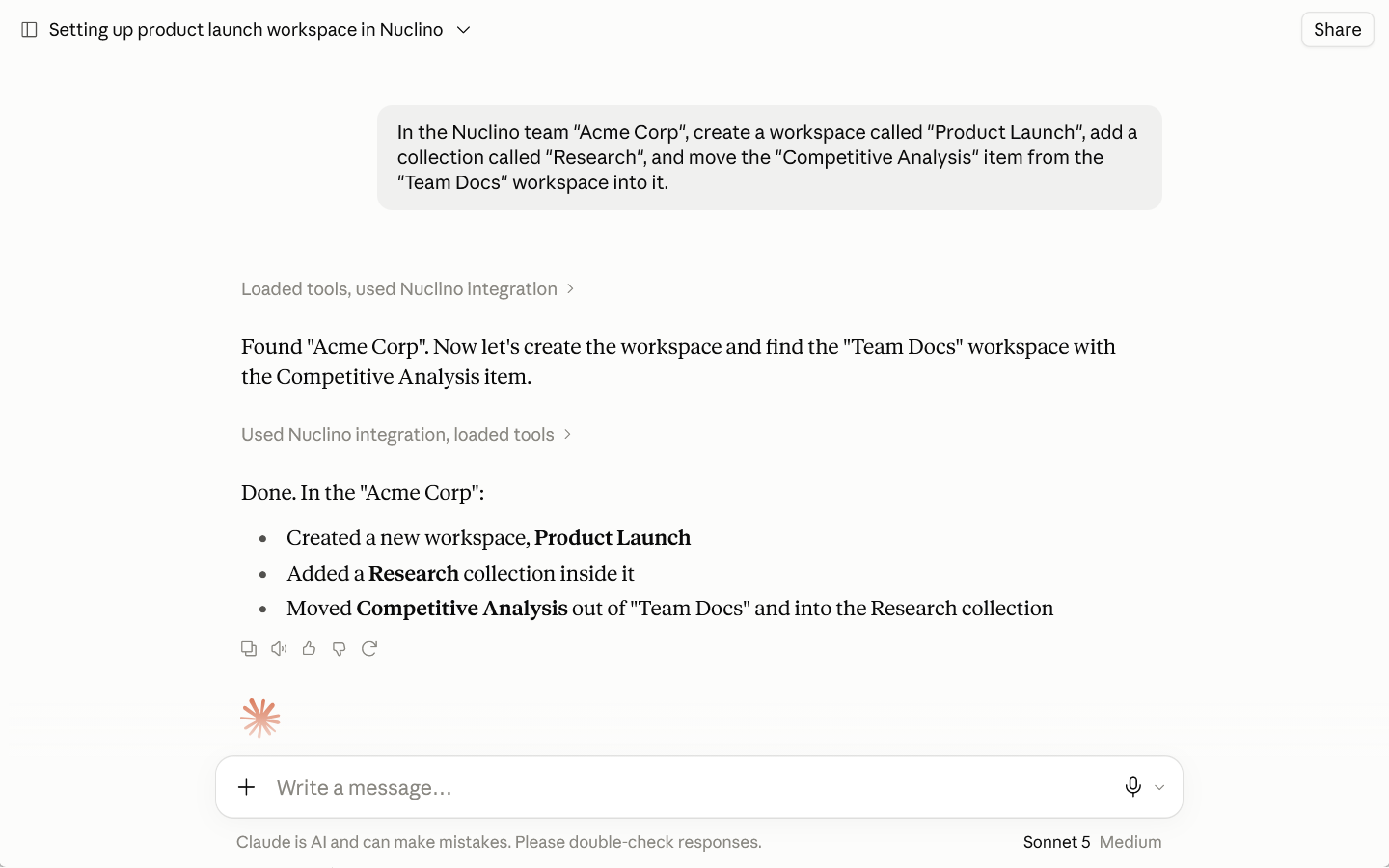
New ways to work with Nuclino through MCP
We've expanded what connected AI assistants can do in Nuclino through the Nuclino MCP server, so you can automate more workflows across your workspace.
They can now:
Create and update workspaces.
Move items and collections.
Read comments and add top-level and inline comments.
Create internal links between Nuclino items, and more.
Comment reactions
You can now react to comments with emojis 🎉
It's a quick way to acknowledge feedback, agree with a suggestion, or respond without adding another message to the thread. You'll also get a notification when someone reacts to your comment.
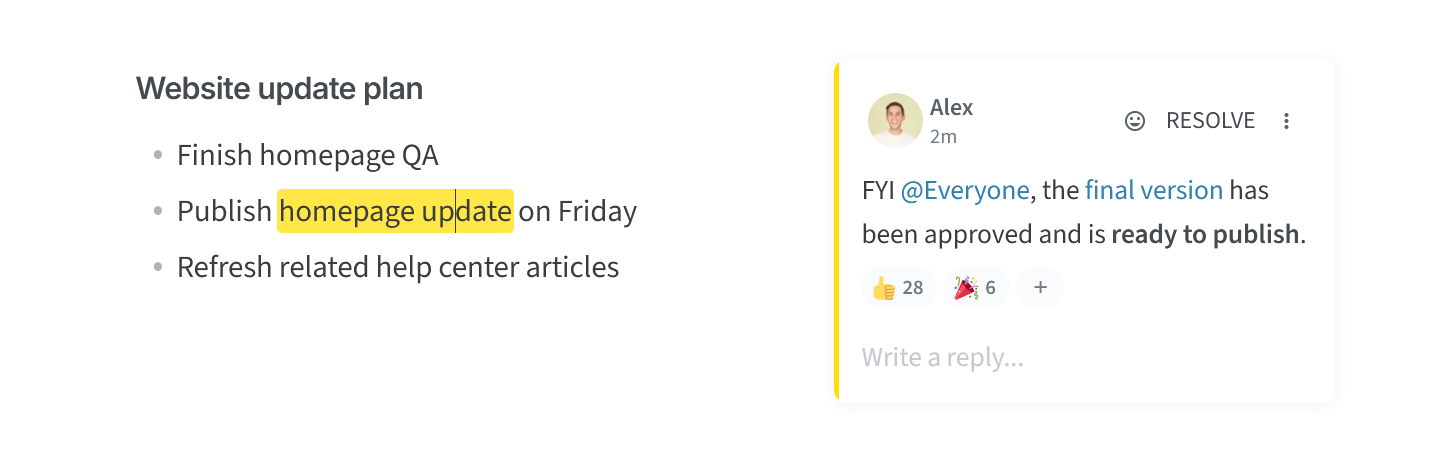
Comments also support more formatting options, including external links, links to headings, bold and italic text, and inline code.
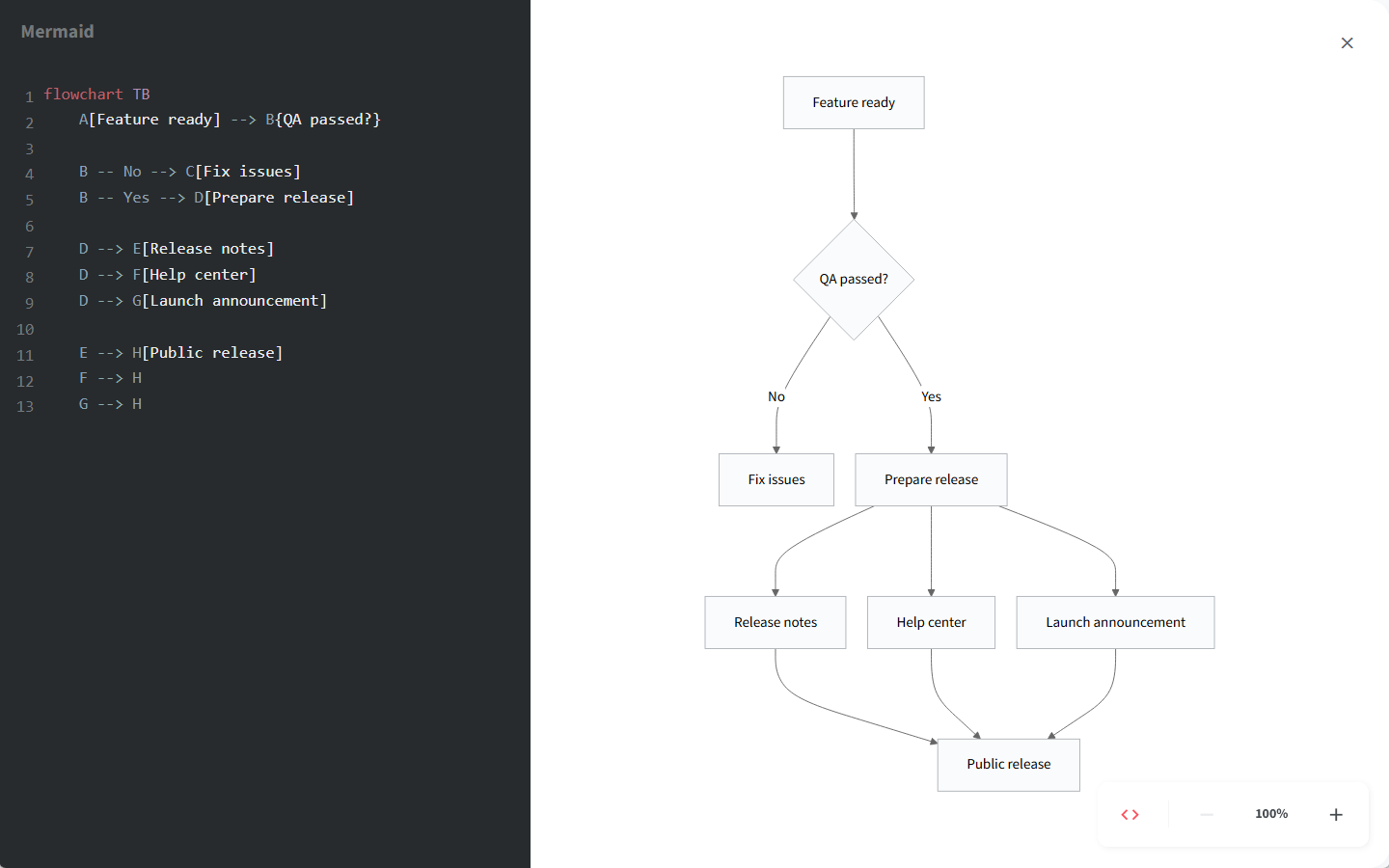
Improved Mermaid diagrams
Large Mermaid diagrams are now much easier to inspect and edit. Open any diagram in a fullscreen preview to zoom in and out, or edit the Mermaid code alongside the diagram and see your changes live. We've also added syntax highlighting to make the code easier to read.
Shareable filtered searches
Search filters are now reflected in the URL. You can bookmark searches you use often or share a filtered search with someone else and have them open the same results directly.
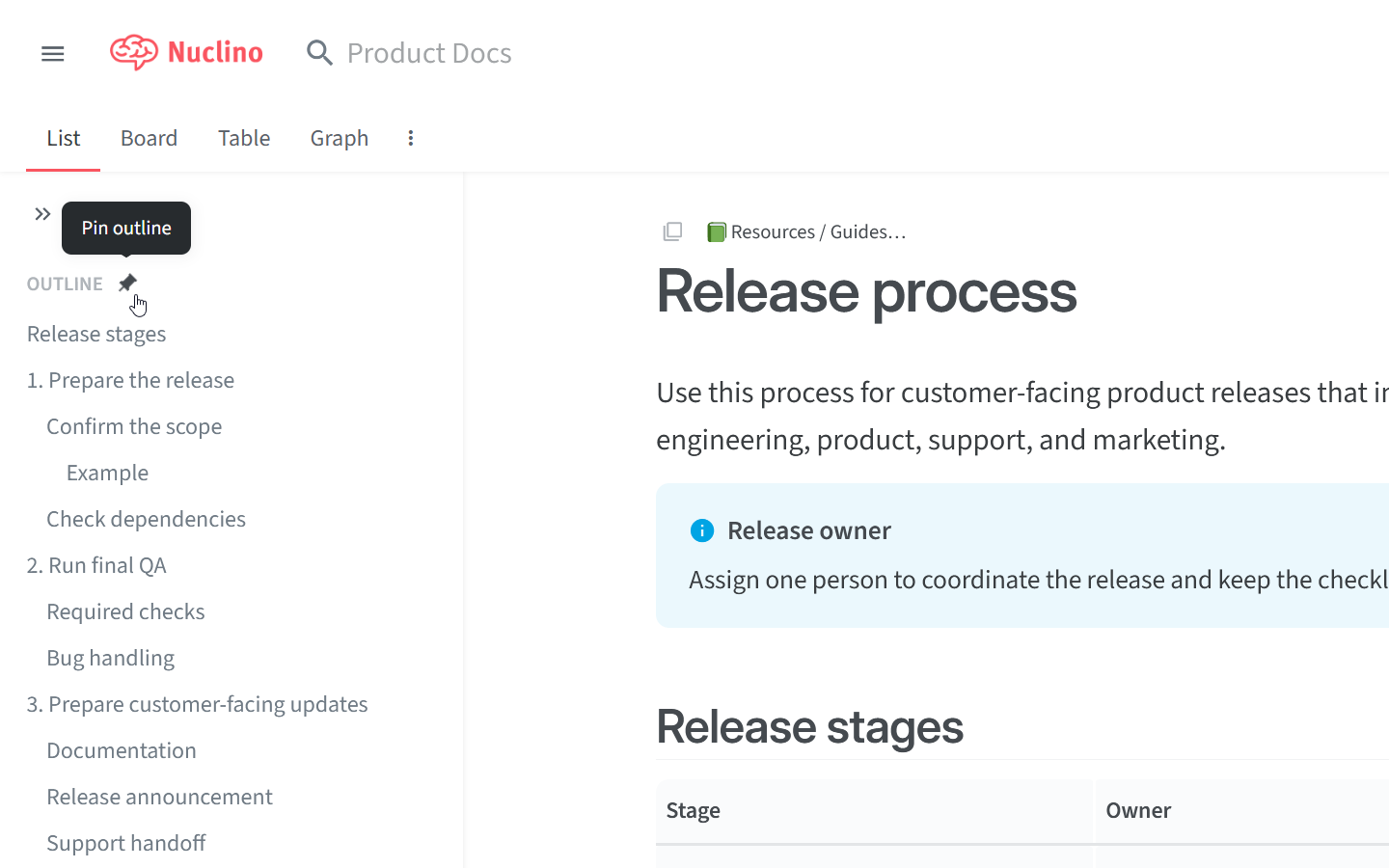
Pinned item outline
You can now pin the item outline to keep your table of contents visible while you work. Just click the pin icon in the outline to keep it open.
A smoother import experience
Importing content is now more flexible and much easier to follow.
You can now import files directly into a collection by dragging them onto a collection in the sidebar, a board column, or directly into a collection page.
Imports now show a live progress bar while files are uploaded.
Large imports are more reliable, and failed or stalled imports now show a clear error.
Other small but impactful changes
Canvas diagrams and whiteboards embedded in an item are now visible when the item is shared via a public link or published as part of a workspace site. Visitors can view the full Canvas in a static, read-only format.
You can now copy selected content as Markdown using
Cmd/Ctrl+Shift+C.When you ask Sidekick about a collection, it now looks at the content on the collection page, not just the items inside it.
Re-authentication for sensitive actions now works with SSO and 2FA without requiring you to log out first.
Images uploaded to a Canvas can now be downloaded.
Embedded draw.io diagrams now preserve URL parameters, so you can open a specific page or keep other embed settings from the original link.
Inline calculations now support
×,÷, and thousands separators.Markdown imports and exports now handle table cells containing images more reliably.